Make Your Camera Always Online with Static Routing Table
Static Routing Table
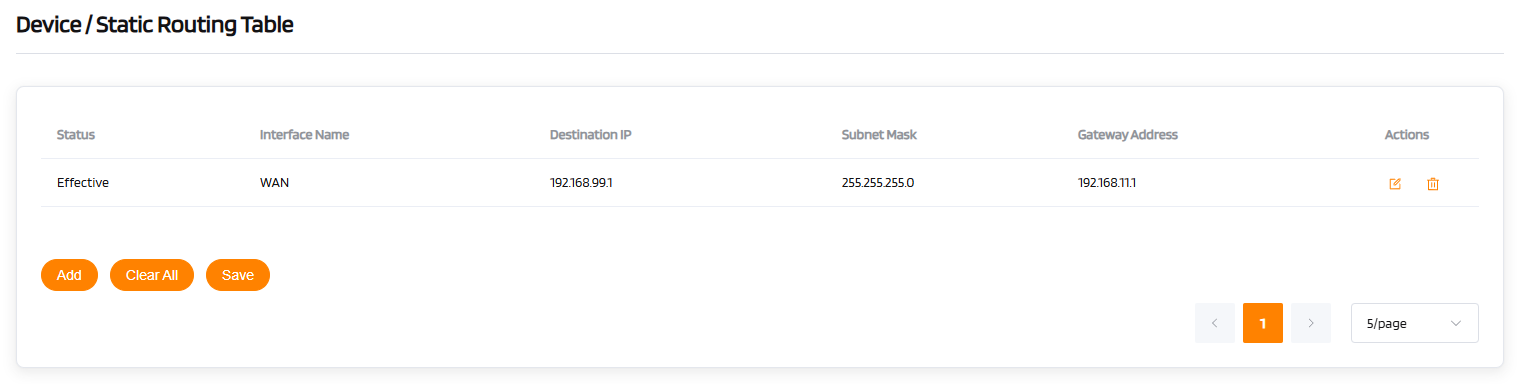
The static routing function allows manual configuration of routing rules (interface name, destination IP, subnet mask, gateway address) to forcibly direct traffic for specific networks. It is suitable for multi-segment network communication or special path control.
- Interface Name: The physical/logical interface for data outflow (e.g.,WAN/LAN)
- Destination IP/Subnet Mask: Defines the target network segment.
- Gateway Address: The IP address of the next-hop router(e.g.,192.168.10.1).
For example, you have a security camera (IP: 192.168.1.101) connected to a secondary switch in your home network. But your router sends incoming requests randomly, causing lag or timeouts when you try to view footage.
You simply add one entry to your router’s Static Routing Table:
Destination: 192.168.1.101
Subnet Mask: 255.255.255.255
Gateway (Next Hop): 192.168.1.2 (your switch's IP)
After this setup, your camera is always online — no matter if someone’s streaming, gaming, or downloading. Your security system stays responsive, night and day. That’s the power of a Static Routing Table: keeping your most important devices on the right path, every time.