Parental Control
Parent Mode
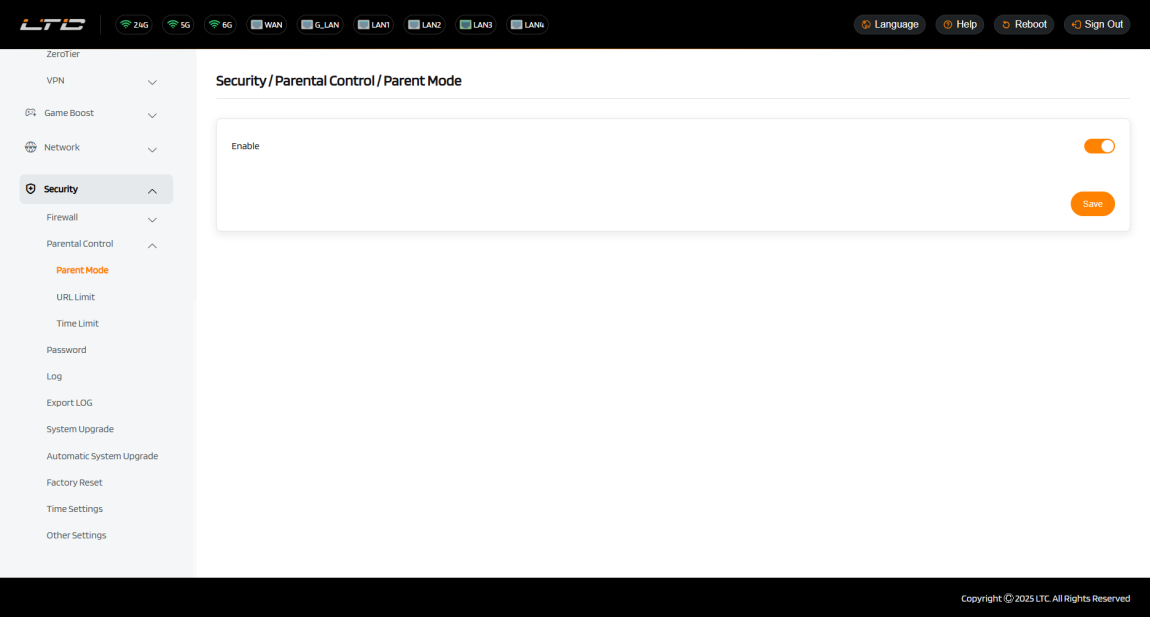
In the parental control page, you can toggle the master switch to enable or disable the Parental Controls function. This allows you to manage and restrict Internet access for specific devices (e.g., setting time limits, blocking inappropriate content).
URL Limit
URL Limit is used to set website access permissions for specified devices. It supports web content access control through a whitelist/blacklist mechanism, helping parents prevent exposure to inappropriate or harmful information and ensuring a safe online experience for children. This feature allows access restrictions to be applied to custom URLs, with restriction rules that can be independently bound to specific devices for precise control.
Configuration Steps:
-
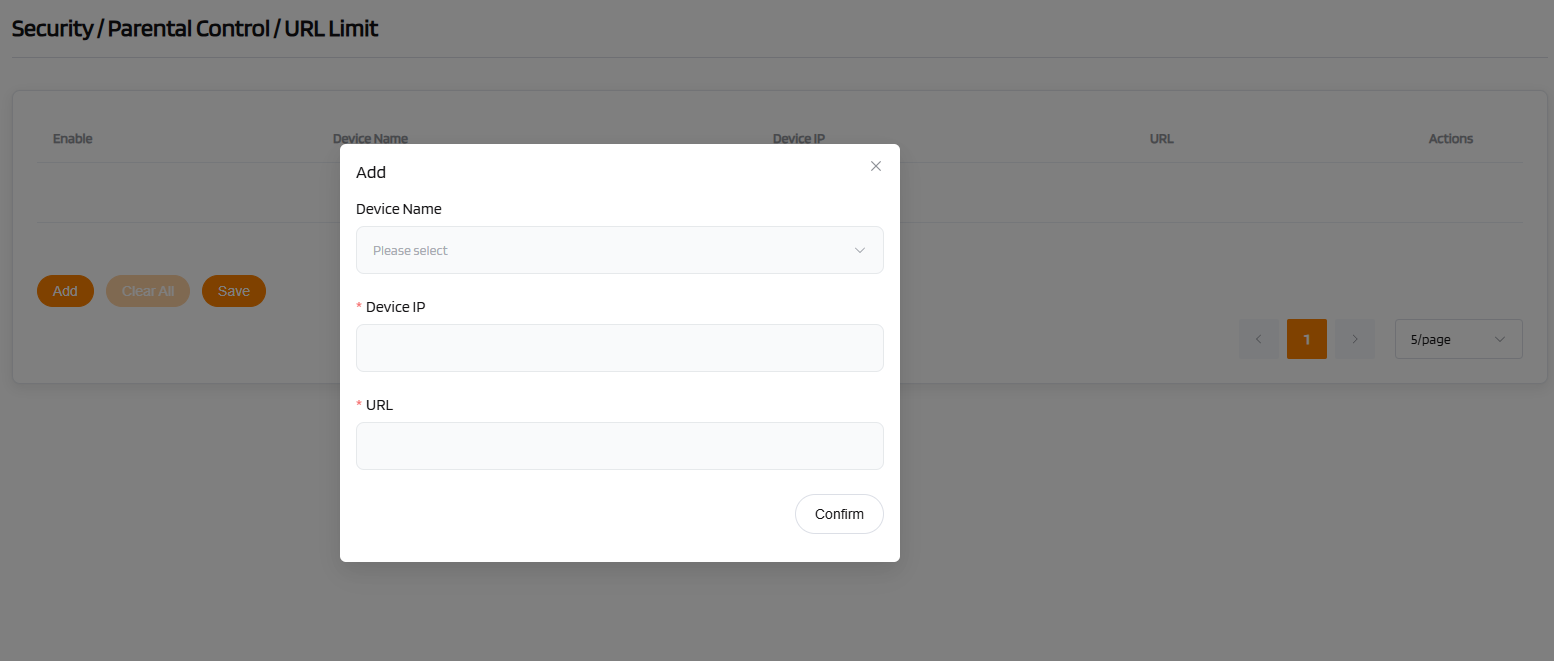
Click the "Add" button to create a new URL Limit rule.
-
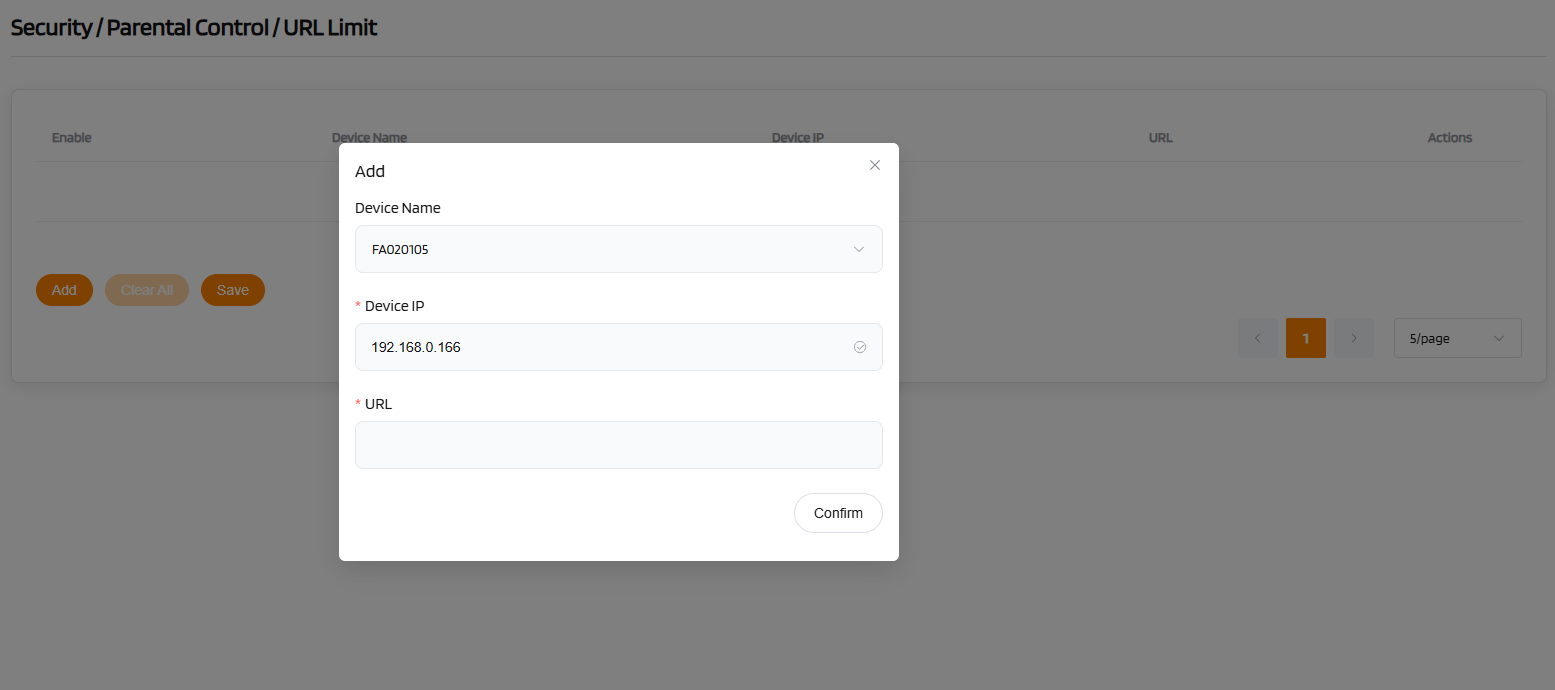
Select the device to be controlled (the device list will automatically associate its IP address); enter the website address to be restricted in the "URL" field.
-
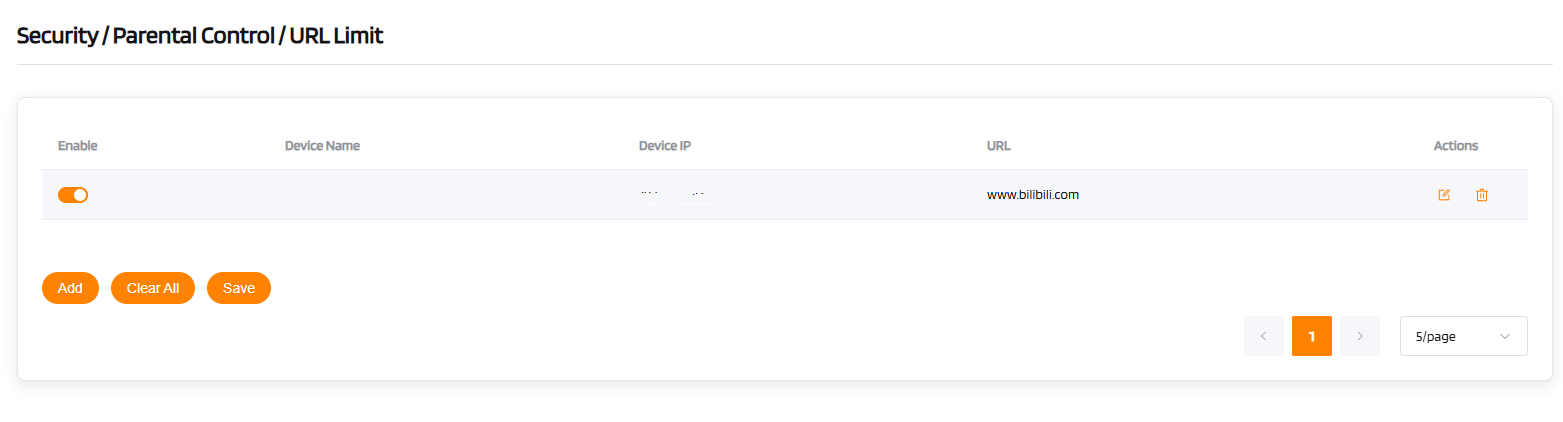
After confirming the settings are correct, click "Save" to save the rule.

Note
Ensure that the parent function Parent Mode is enabled for the rule to take effect.
Time Limit
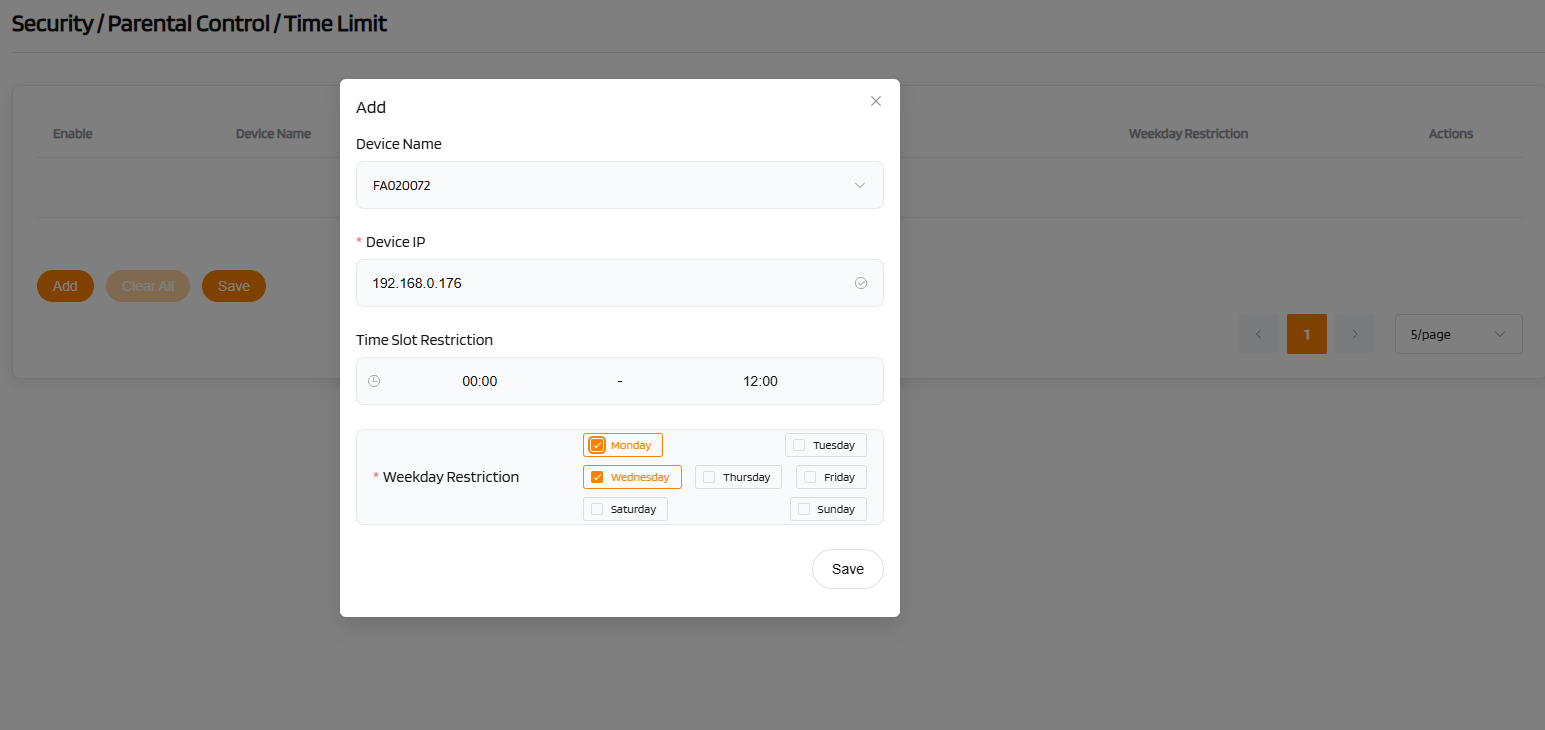
Time Limit is used to set daily internet usage limits for specified devices. It supports custom usage periods and durations by day or by week, helping parents scientifically manage children's internet behavior, prevent excessive use, and cultivate healthy internet habits.
Note
Ensure that the parent function Parent Mode is enabled for the rule to take effect.