Repeater
Using Repeater means connectingthe router to another existing wireless network, e.g. whenyouareusingfreeWi-Fiinahotelorcafe.
It works in WISP (Wireless Internet Service Provider) mode by default, which means that the router will create its own subnet and act as a firewall to protect you from the public network.
(1) 2.4 GHz Wi-Fi Mode
In Network section, choose 2.4 GHz Wi-Fi Mode and click Save.
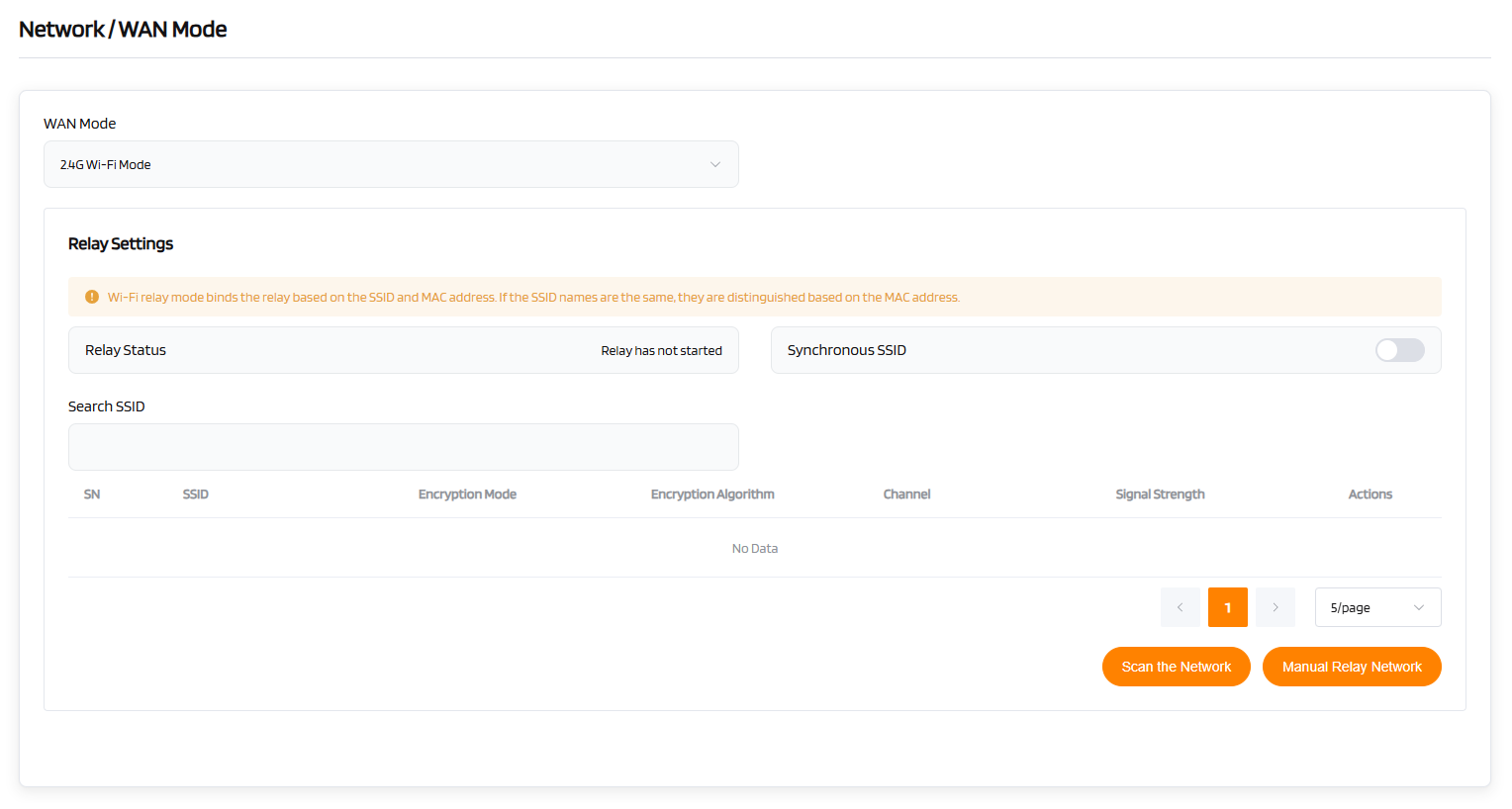
Click Scan the Network to search for the available wireless networks nearby.
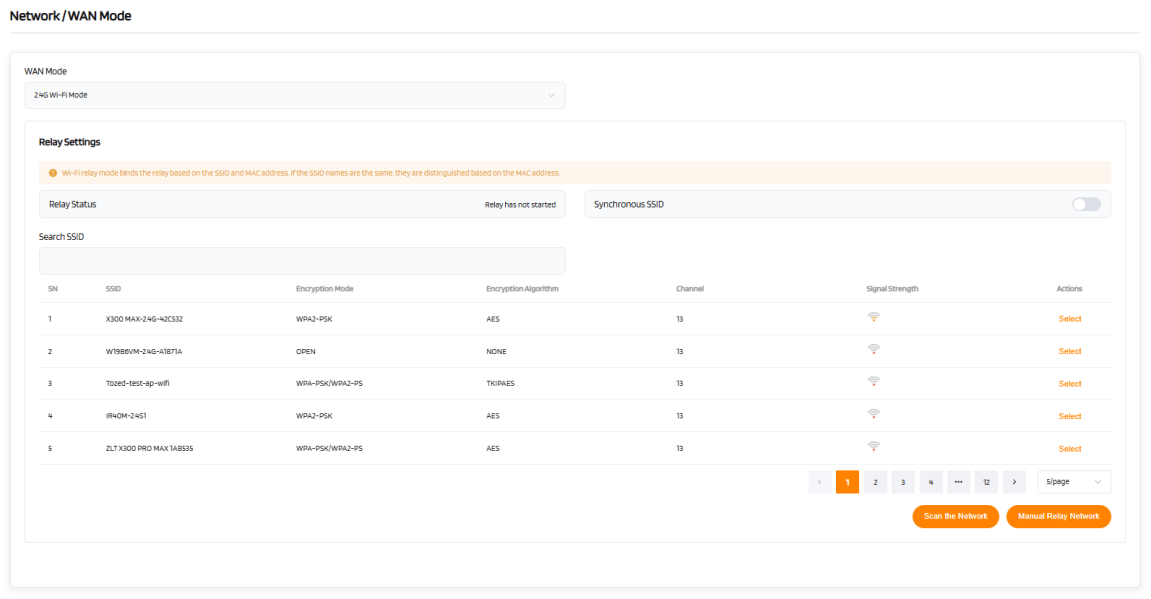
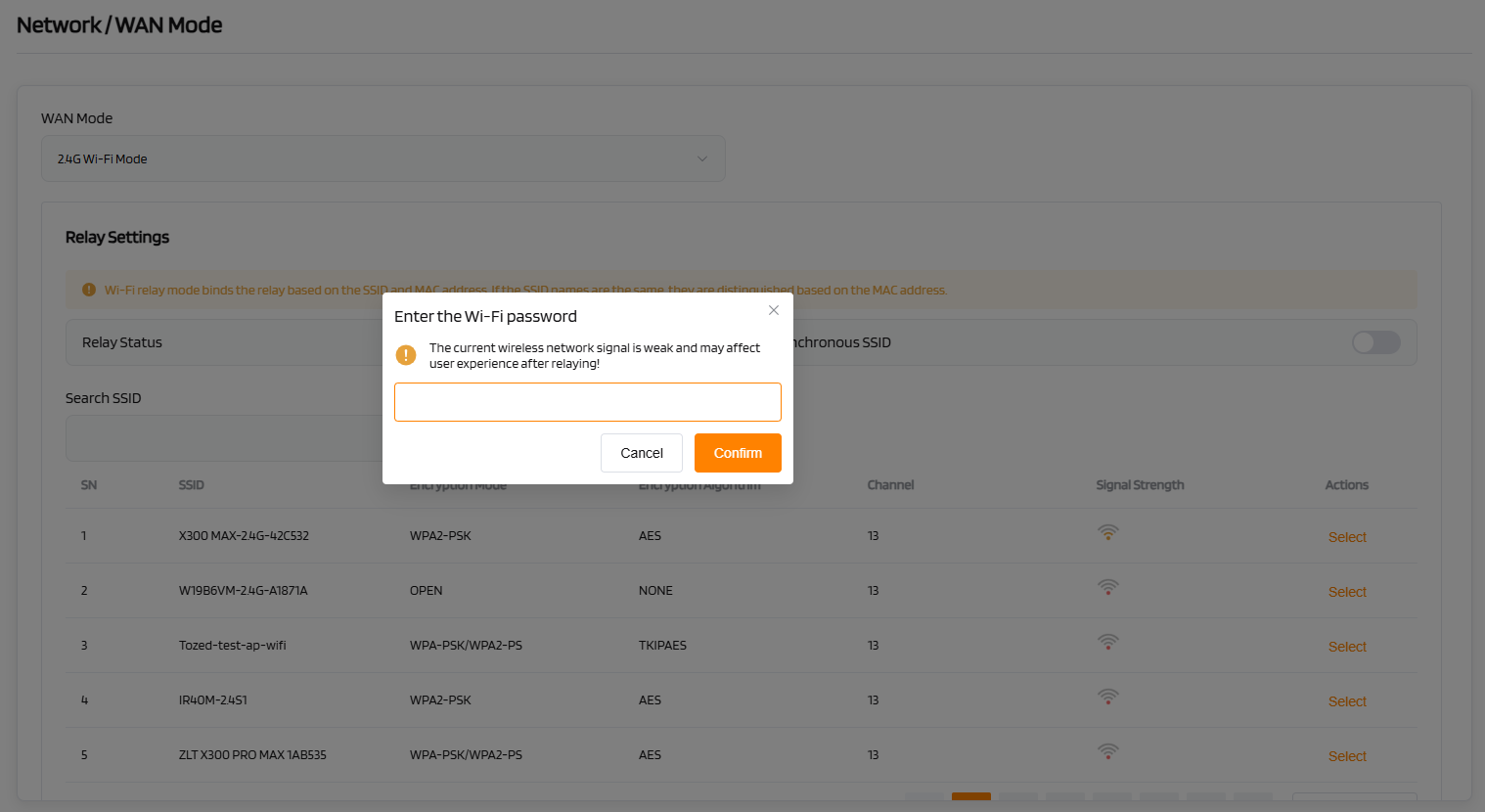
Choose a SSID from the list and enter its password. Finally,click Confirm.
(2) 5 GHz Wi-Fi Mode
Refer to the operation steps for the 2.4 GHz Wi-Fi Modebridging mode.
(3) 6 GHz Wi-Fi Mode
Refer to the operation steps for the 2.4 GHz Wi-Fi Modebridging mode.