ZeroTier
ZeroTier creates a secure peer-to-peer virtual network, supporting access to devices such as phones and PCs. It enables remote access to devices or LANs.
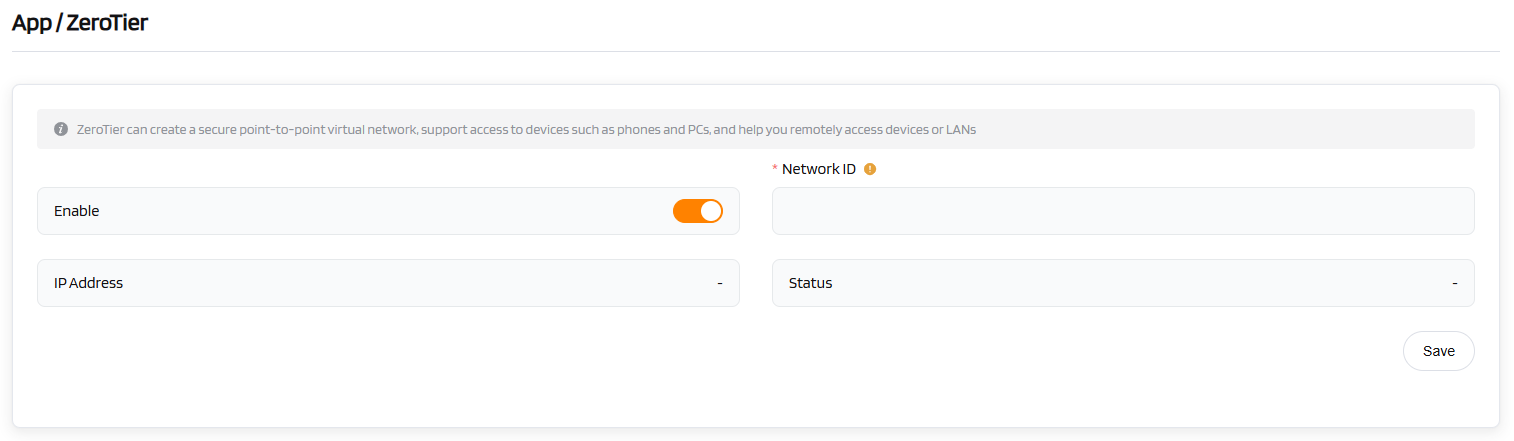
| ZeroTier | Configuration |
|---|---|
| Enable | [Toggle to enable] |
| *Network ID | [Enter your ZeroTier Network ID] |
| IP Address | [Automatically assigned after connection] |
| Status | [Displays the connection status] |
| Operation | Save |
Setup Steps:
-
Visit the official ZeroTier website (https://www.zerotier.com) and register for a Network ID.
-
On the router's ZeroTier page, enter the Network ID you obtained.
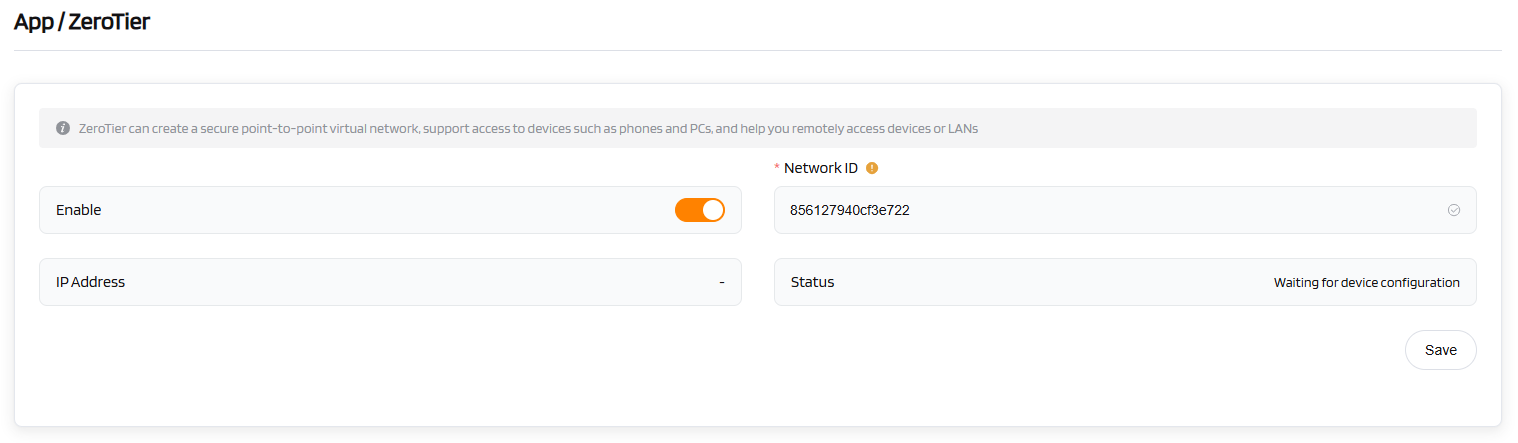
-
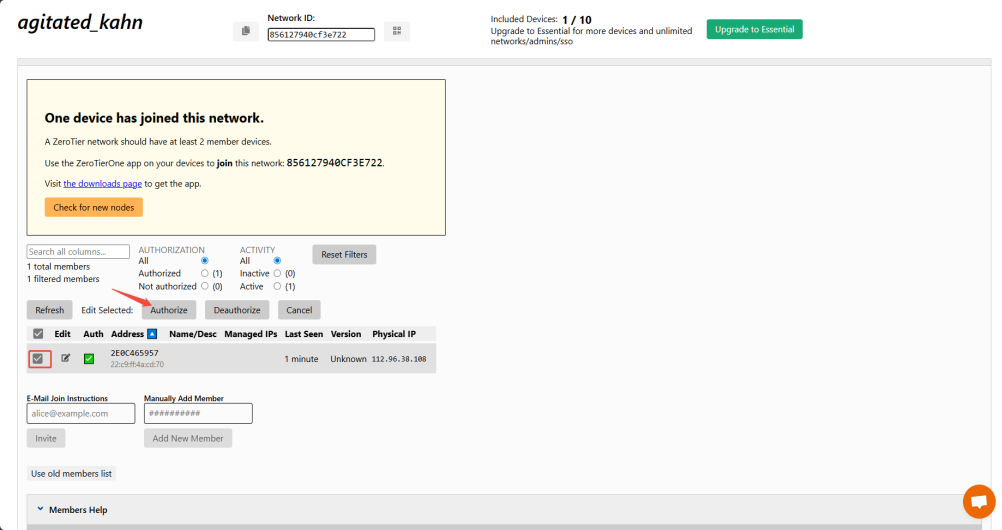
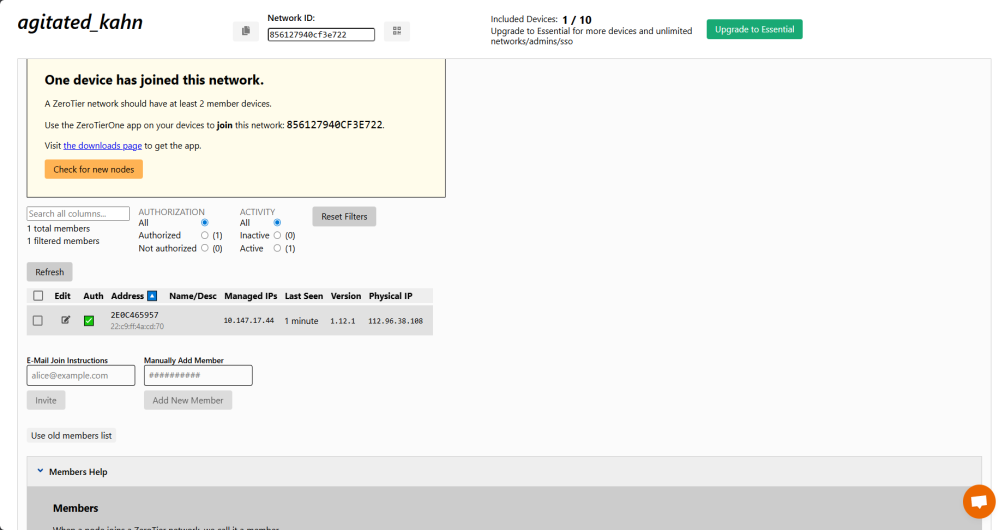
On the ZeroTier website, activate the router device and obtain its "Managed IPs".
-
Install the official ZeroTier client on your mobile phone or computer, enter the same Network ID, and follow the instructions to connect. This enables remote access to the router.